> For the complete documentation index, see [llms.txt](https://docs.secoda.co/llms.txt). Markdown versions of documentation pages are available by appending `.md` to page URLs; this page is available as [Markdown](https://docs.secoda.co/features/automations/ai-powered-automations.md).
# AI-powered automations
Explore common use cases for Secoda's AI-powered Automations
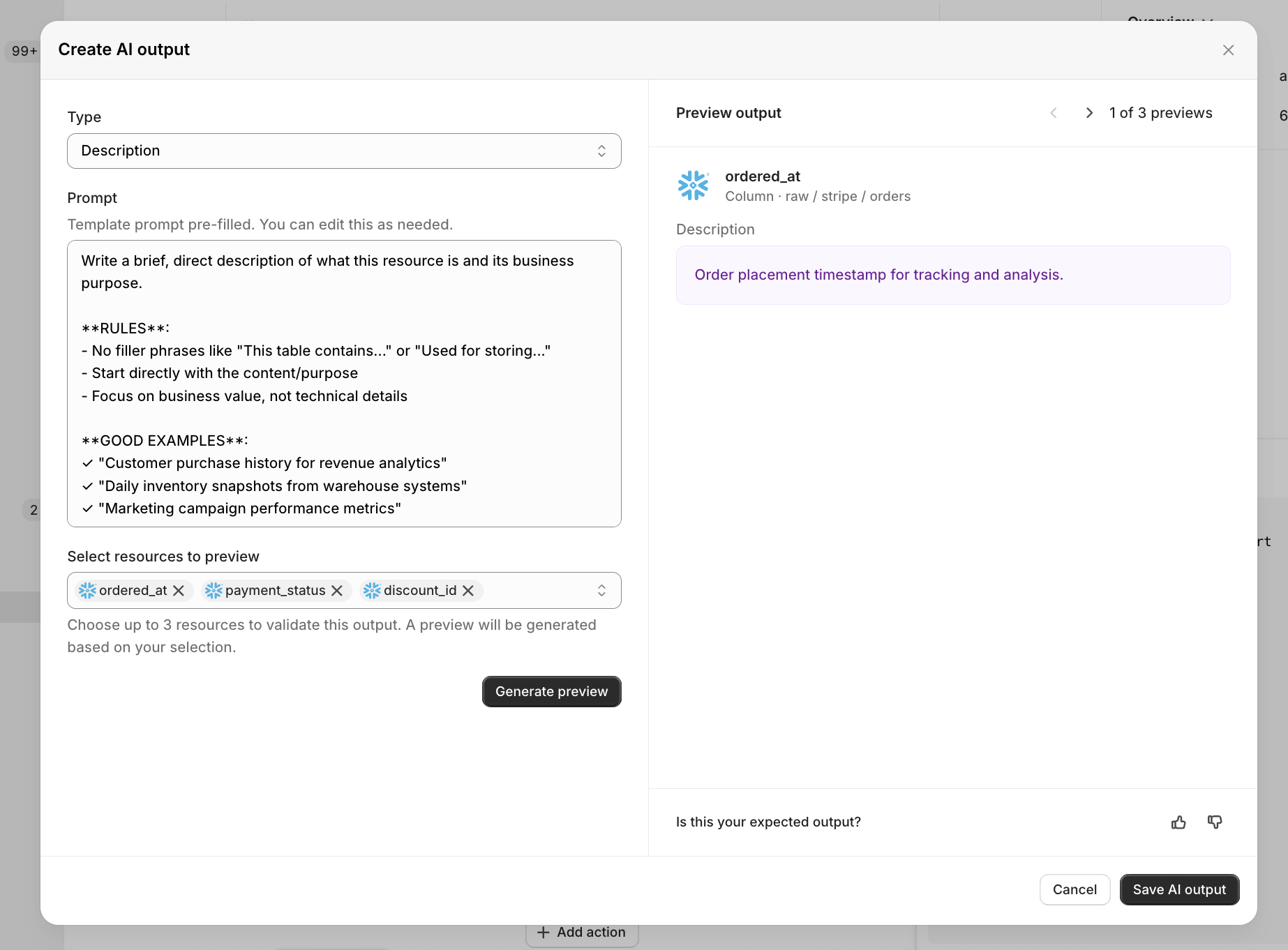
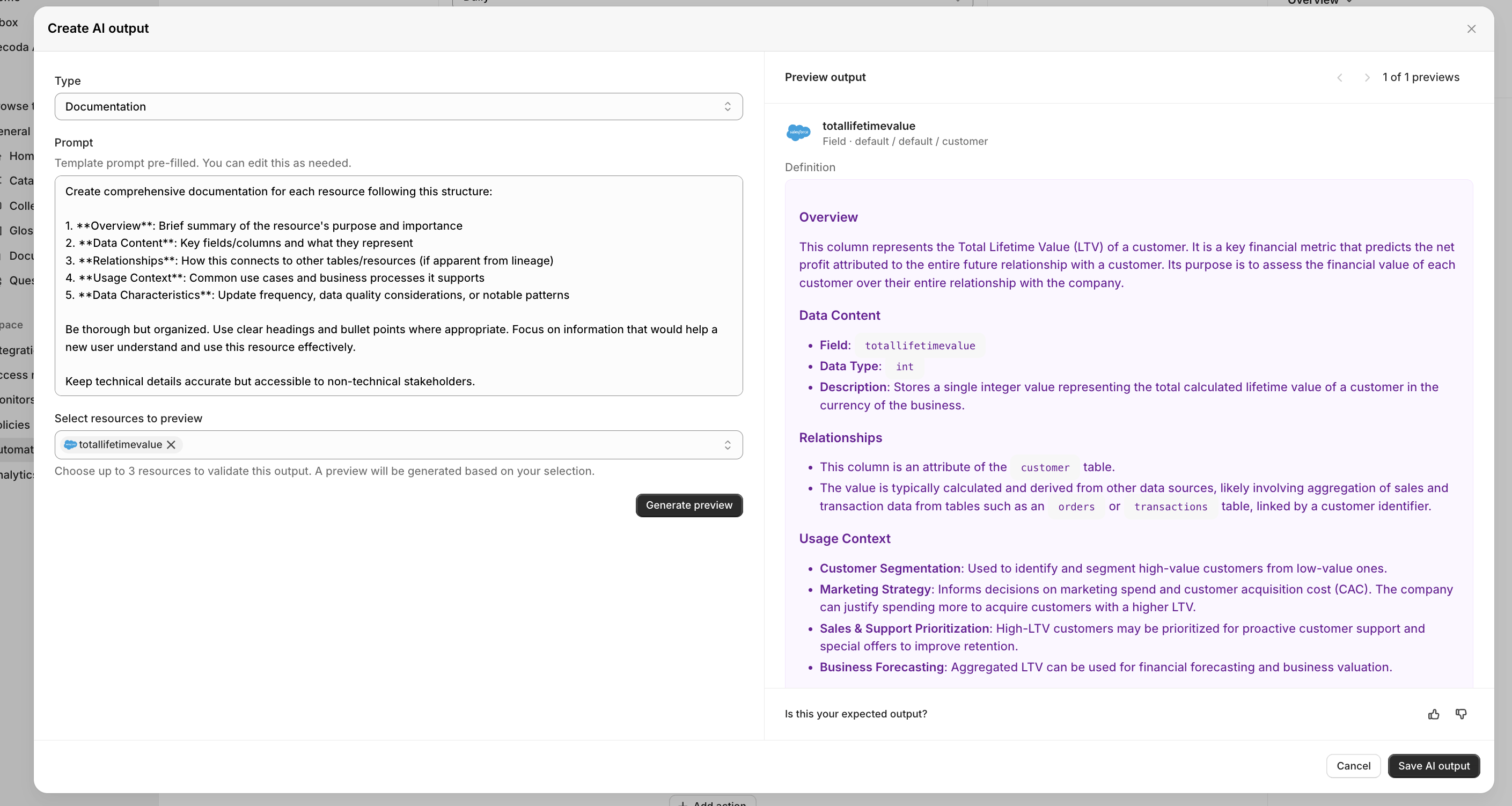
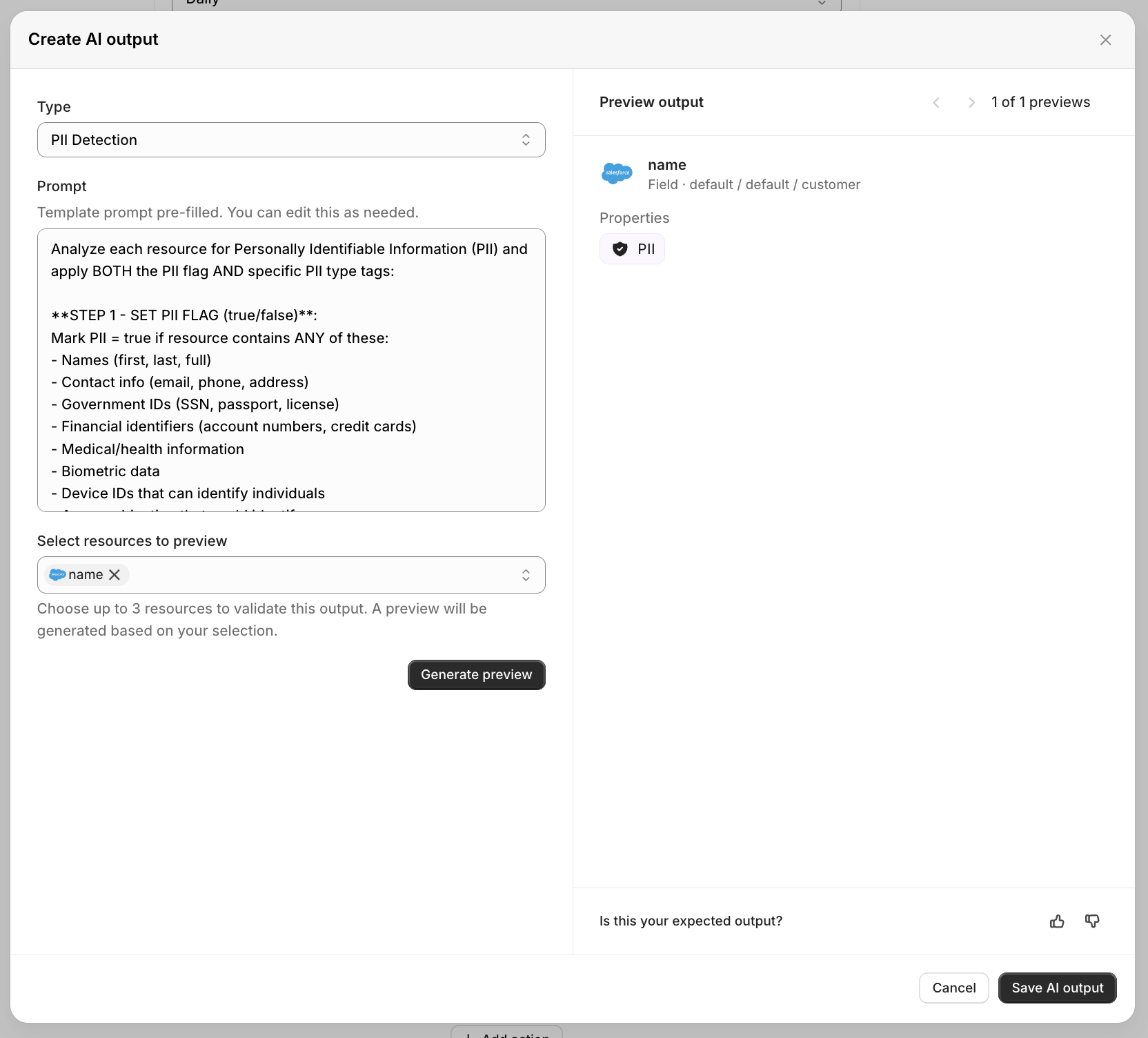
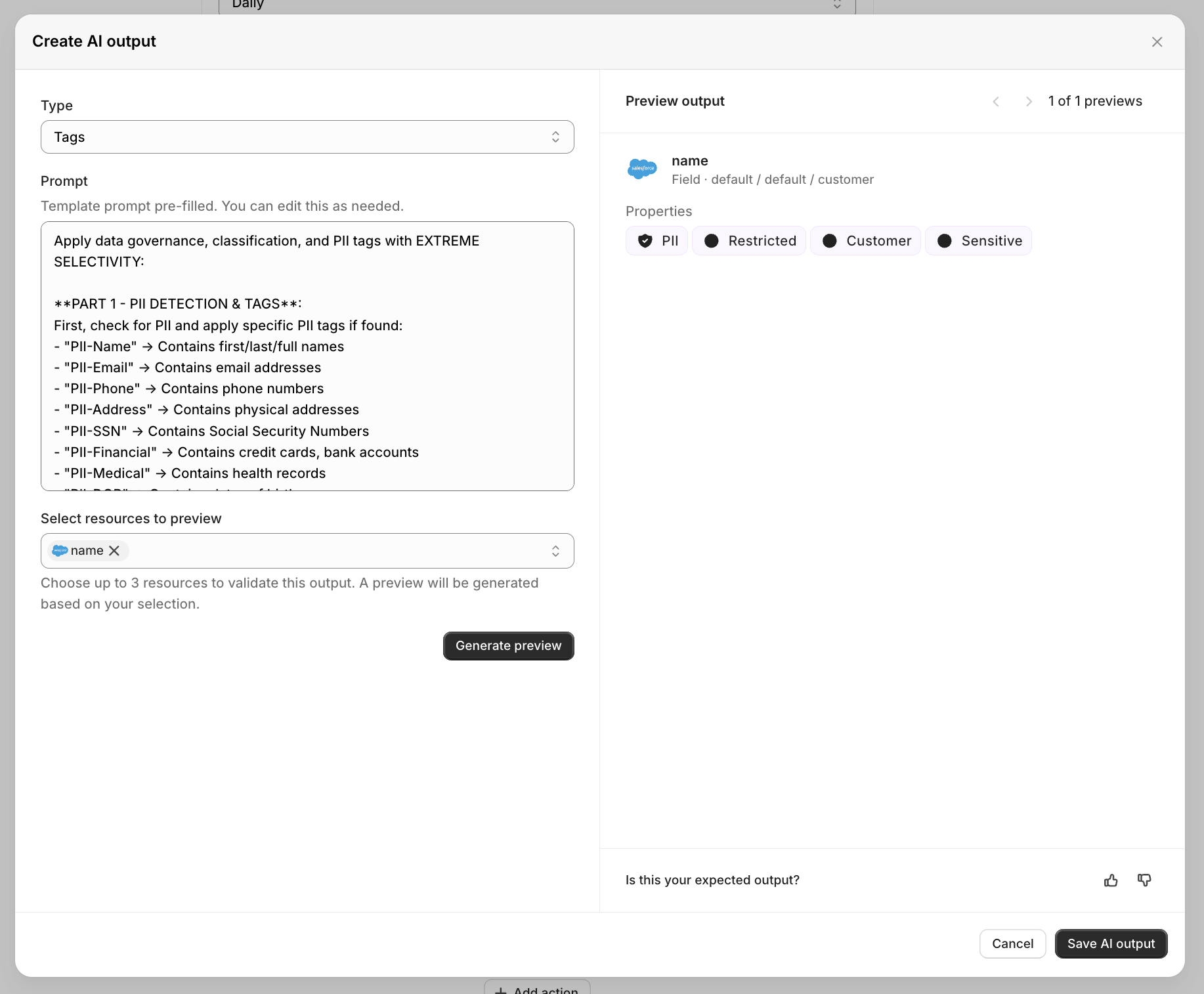
With Secoda’s AI Automation Block, Automations enables AI-powered metadata creation across multiple metadata types, including descriptions, documentation, PII detection and classification, and tagging. Each AI setting can be customized with prompts and linked to specific metadata fields, allowing targeted automation. By leveraging LLMs, Secoda intelligently generates metadata with contextual awareness and precision.
## Getting started
1. Start by filtering the resources you would like to update.
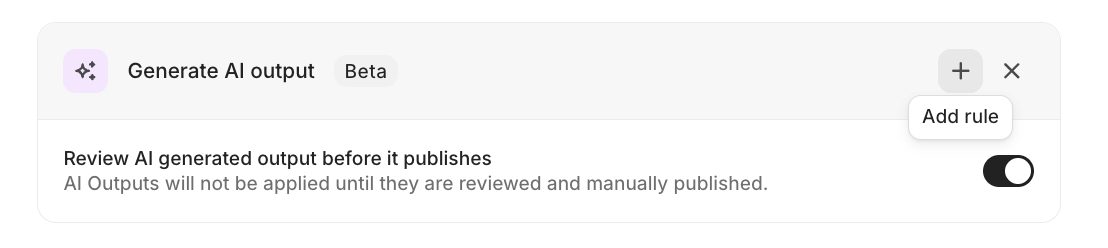
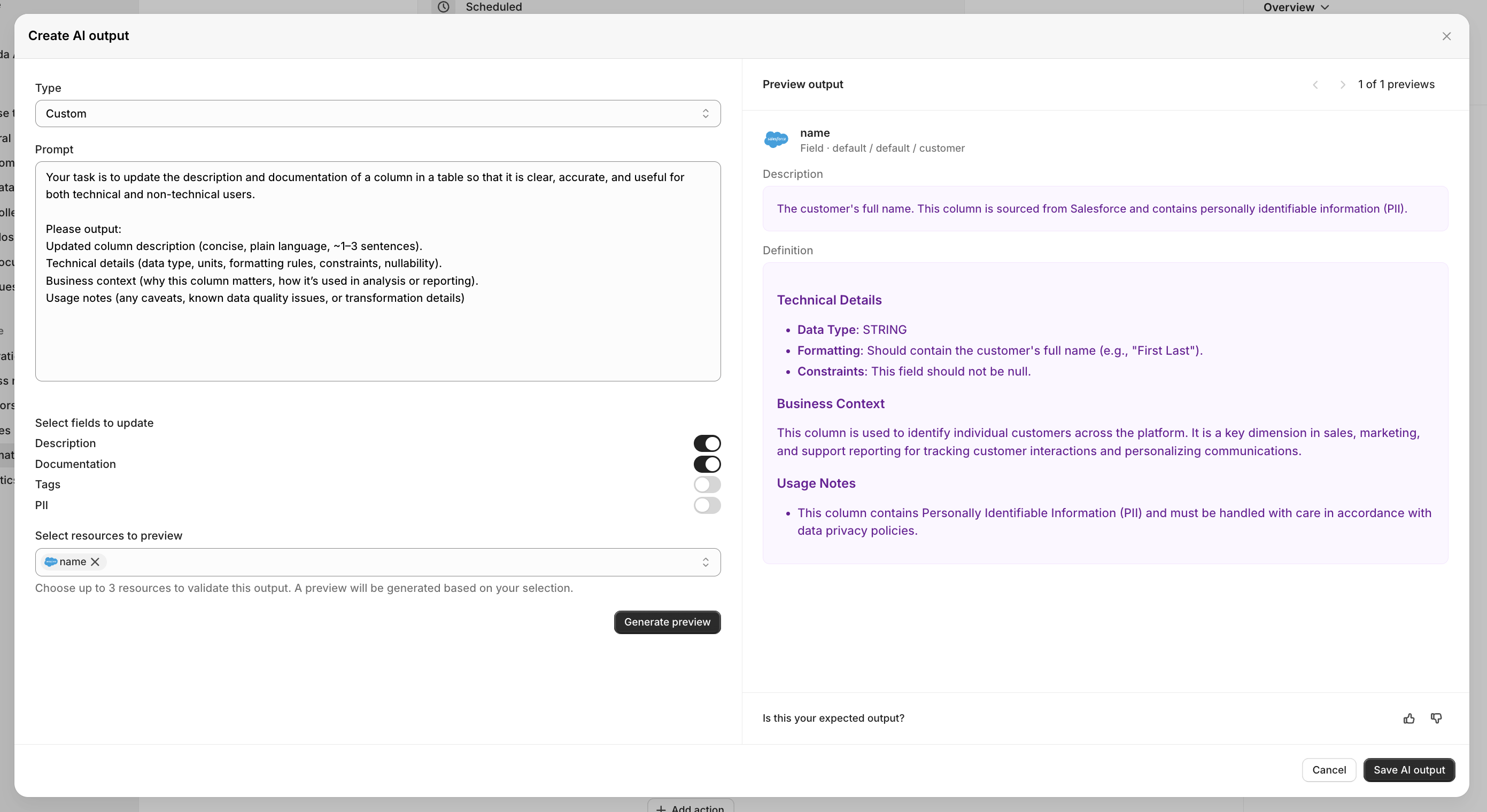
2. Select "Generate AI output," and select "Add rule" to specify the instructions for the field you would like to update.
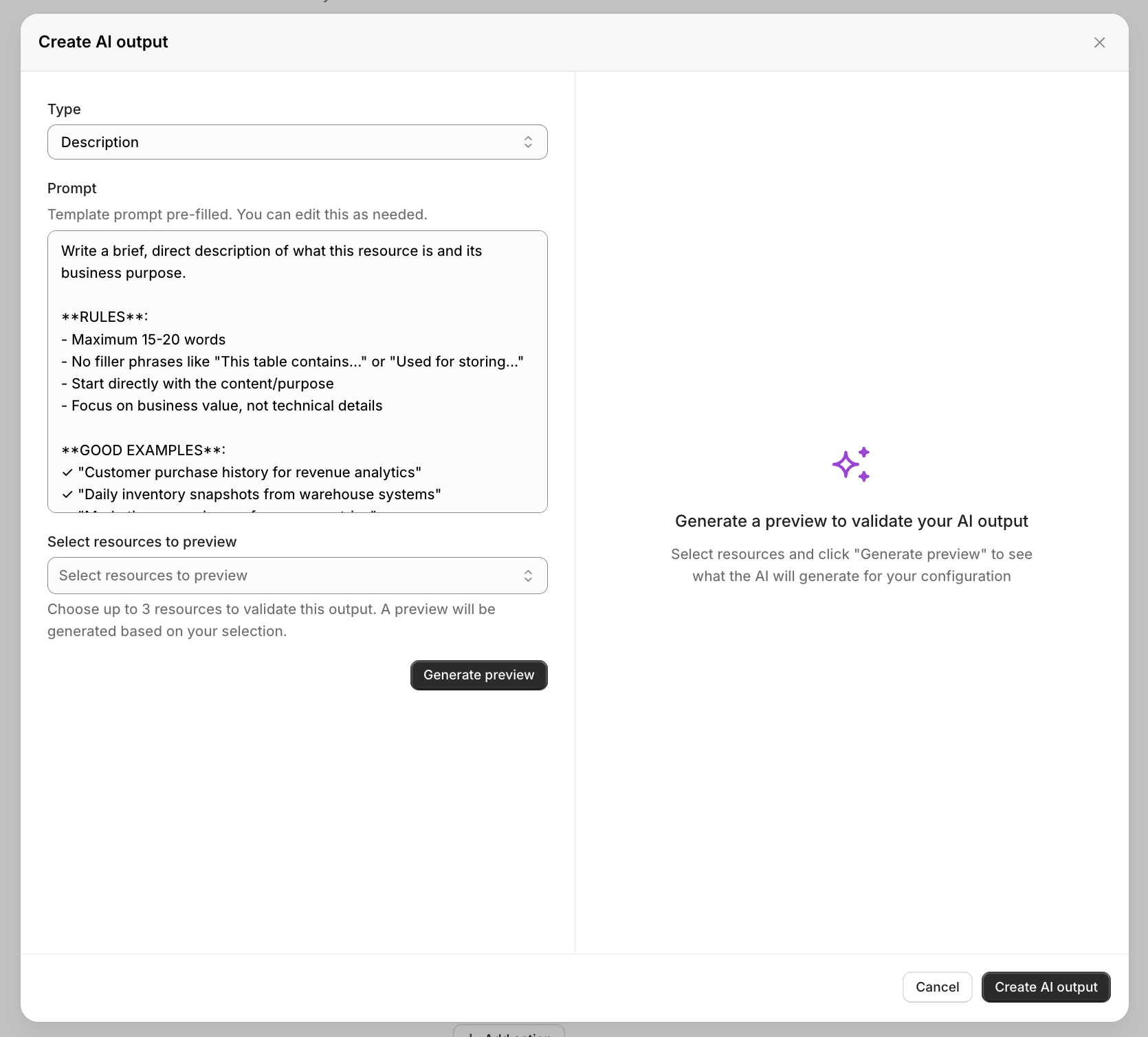
3. Choose the field type you wish to update. Each type includes preset instructions that you can use immediately or customize to meet your needs. You can preview the changes on up to three resources by clicking "Generate preview".
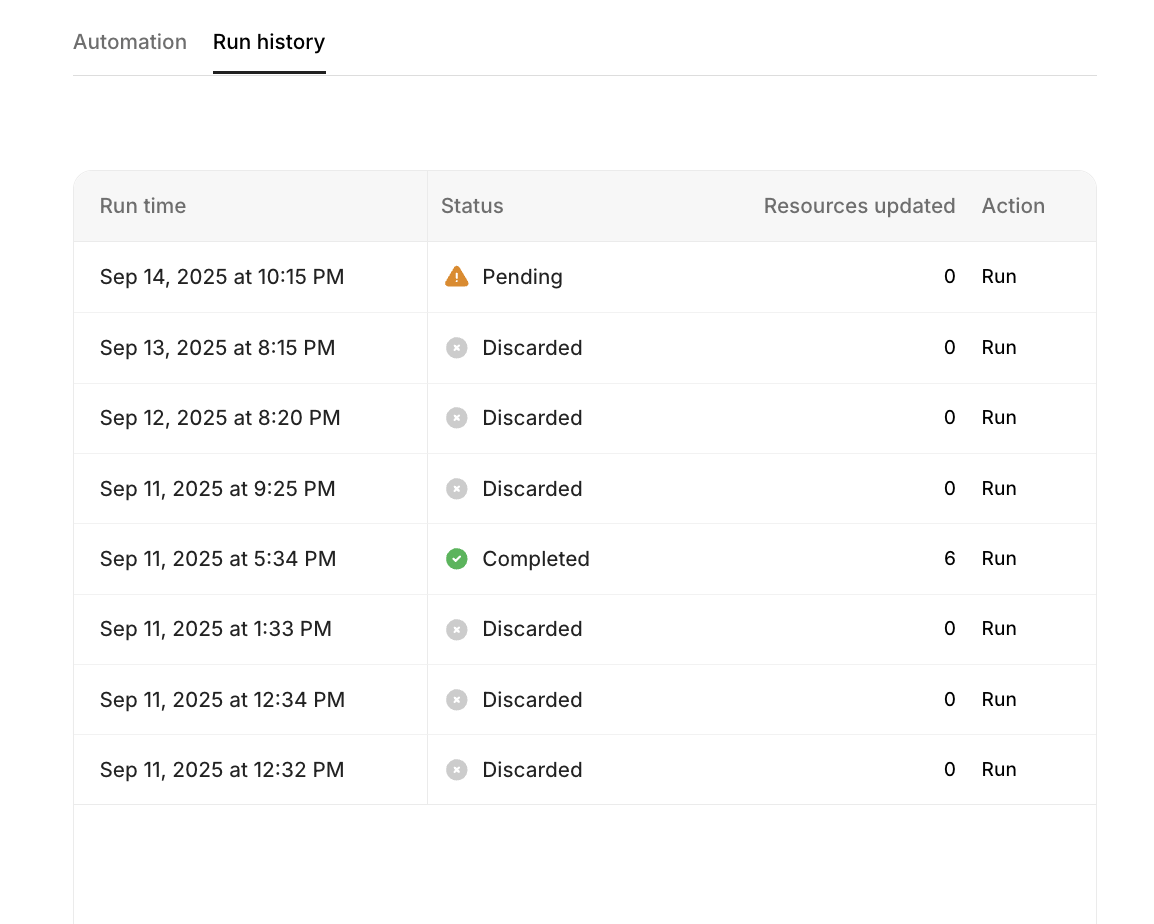
**Note:** To review outputs before publishing after the Automation is run, toggle on "Review AI generated output before it publishes." Approve updates in the Automations' Run History section.
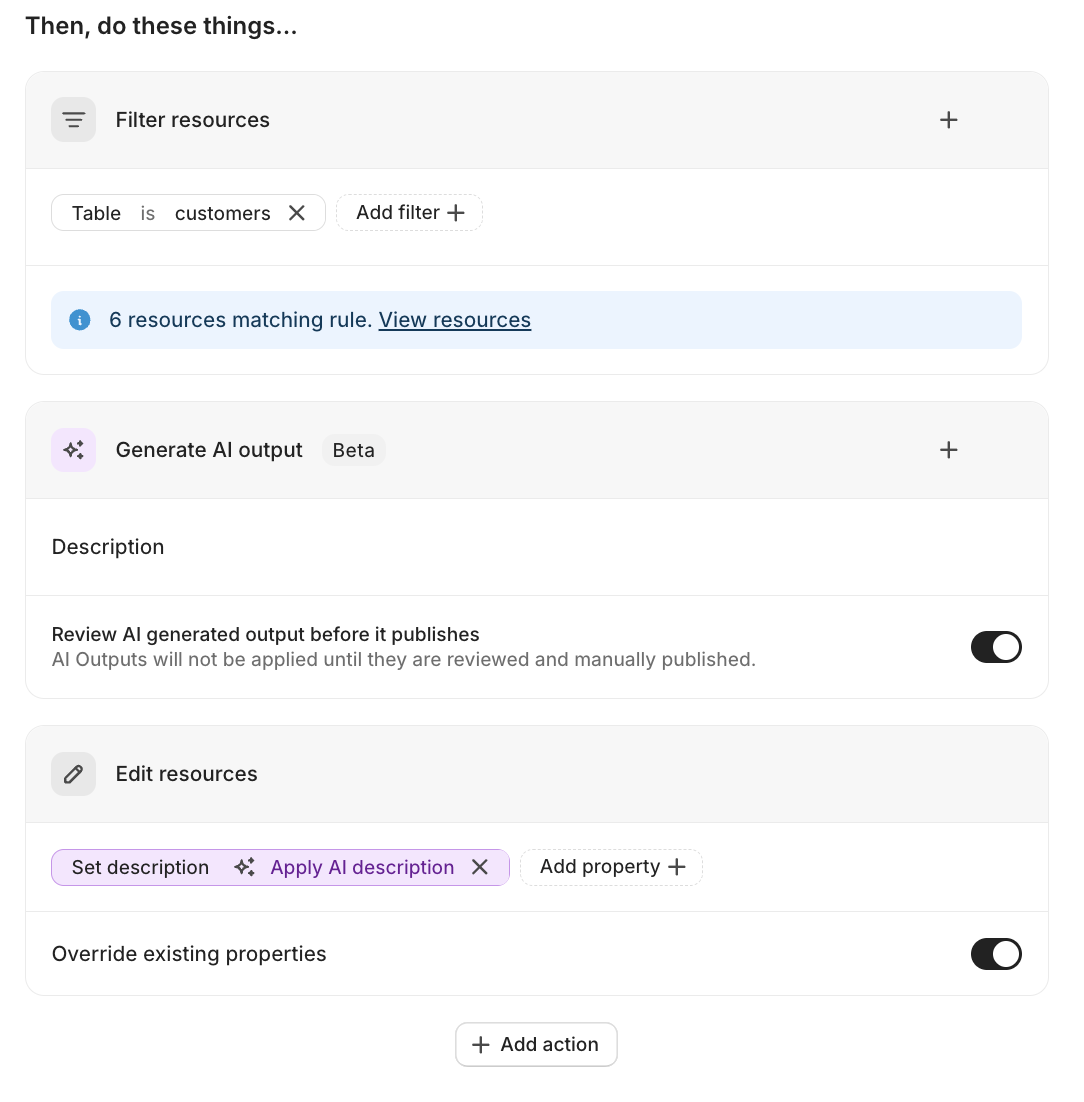
4. Next, Choose "edit resources" to apply edits to the metadata fields.
**Note:** To allow automation to override existing properties, make sure to select this option in the Edit Resources block.
Ensure steps 1-4 are completed to achieve a configuration similar to this:
5. After finalizing your configuration, click "Run Automation" to execute the generation on the selected resources.
6. After completion, if "Review AI generated output before it publishes" is off, the Automation will automatically apply to your resources. If on, a pending state will appear on the Automations Run page for your review and approval of the updates.
**Note**: If a run is not approved, the previous one is discarded, and the latest run becomes the pending one.
## Use cases
### Generate descriptions
**Objective:** Automatically create concise, user-friendly descriptions for resources lacking clear explanations.\
**Setup:** Filter for tables or columns with missing descriptions, then use "Generate AI output" with the description field. Use the out of the box template or create a custom prompt like that generates a brief, business-friendly description for this data resource based on its name, schema, and column information.\
**Benefits:** Provides immediate context for data producers and consumers, improving discoverability and reducing time spent understanding data structure.
### Generate comprehensive documentation
**Objective:** Create detailed technical documentation and definitions for complex data resources.\
**Setup:** Target resources needing in-depth documentation, use "Generate AI output" with the documentation field. Use the out of the box template documentation or create customize prompts that request comprehensive explanations including business context, technical details, and usage guidelines.\
**Benefits:** Establishes thorough documentation standards across the organization, enabling better data understanding and reducing onboarding time for new team members.
### PII detection and classification
**Objective:** Automatically identify and classify columns that may contain personally identifiable information for compliance.\
**Setup:** Filter for unclassified columns, use "Generate AI output" with the PII field. Create prompts that analyze column names, sample data patterns, and metadata to detect personal information like names, emails, addresses, or phone numbers.\
**Benefits:** Ensures comprehensive privacy compliance, reduces manual auditing effort, and maintains consistent PII identification across all data sources.
### Intelligent tag generation and categorization
**Objective:** Automatically apply relevant tags based on resource characteristics and business context.\
**Setup:** Filter resources by criteria such as data source or naming patterns, use "Generate AI output" with tags field. Design prompts that consider table purpose, data types, and business domains to suggest appropriate classification tags.\
**Benefits:** Creates consistent taxonomy across the data catalog, improves search, and enables better data governance through automated classification.
### Custom AI metadata enhancement
**Objective:** Apply comprehensive, intelligent metadata improvements using custom instructions that populate multiple fields simultaneously based on contextual analysis.\
**Setup:** Create a custom AI prompt with multiple binding types enabled (descriptions, definitions, tags, PII, owners). Design instructions like "Analyze this data resource and provide: a business-friendly description, comprehensive technical documentation, relevant classification tags, PII assessment, and suggest appropriate ownership based on data sensitivity and organizational structure."\
**Benefits:** Delivers holistic metadata enrichment in a single automation run, ensuring consistency across all metadata fields while leveraging AI's contextual understanding to make intelligent decisions about where each type of content should be applied.
---
# Agent Instructions
This documentation is published with GitBook. GitBook is the documentation platform designed so that both humans and AI agents can read, navigate, and reason over technical content effectively. Learn more at gitbook.com.
## Querying This Documentation
If you need additional information that is not directly available in this page, you can query the documentation by asking a question.
Perform an HTTP GET request on the following URL with the `ask` and `goal` query parameters:
```
GET https://docs.secoda.co/features/automations/ai-powered-automations.md?ask=&goal=
```
`ask` is the immediate question: it should be specific, self-contained, and written in natural language.
`goal` is what the user is ultimately trying to achieve, the reason they need the answer. Sharing it helps GitBook give you a better, more relevant answer. A goal is most helpful when it describes the outcome the user wants rather than restating the question. For example, with `ask=how do I create an API token`, a goal like `automate deployments from our CI pipeline` lets GitBook tailor the answer to that use case.
The response will contain a direct answer to the question and relevant excerpts and sources from the documentation.
Use this mechanism when the answer is not explicitly present in the current page, you need clarification or additional context, or you want to retrieve related documentation sections.