> For the complete documentation index, see [llms.txt](https://docs.secoda.co/llms.txt). Markdown versions of documentation pages are available by appending `.md` to page URLs; this page is available as [Markdown](https://docs.secoda.co/extensions/confluence/metadata-extracted.md).
# Confluence Metadata Extracted
List of all the metadata that Secoda pulls from Confluence
### What does Secoda extract from Confluence?
* Spaces (Spaces are referred to in the Confluence integration settings, under the "Spaces" tab)
* Key (similar to the Space Name, except it is a unique identification)
* Pages (Pages are referred to as Documents in Secoda)
* Title
* Parent page
* Owners
* Updated At
* Body
## Confluence page transformation to Secoda document
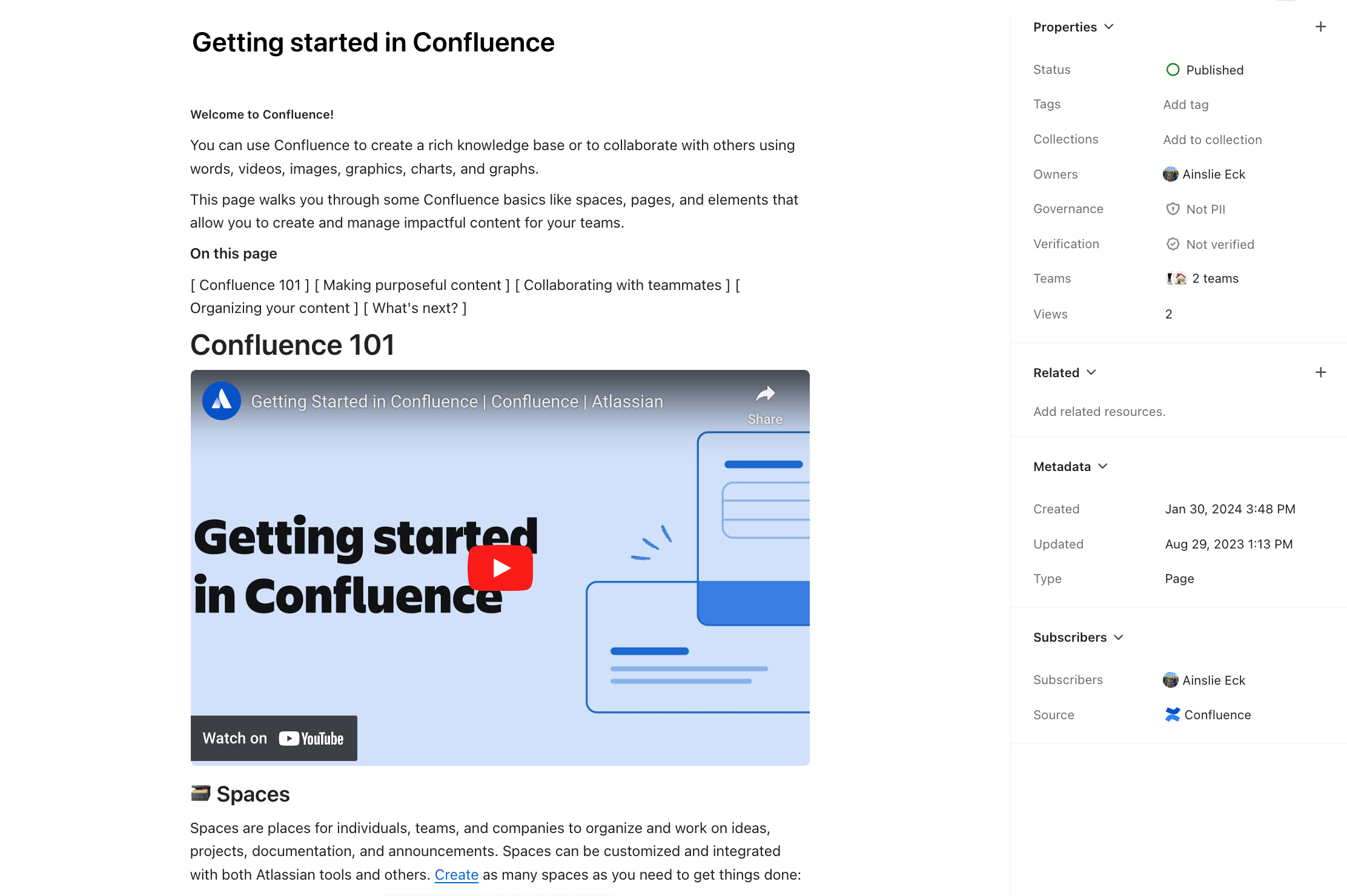
When a Confluence page is brought into Secoda, it'll transfer over and appear very similar to how it does in Confluence. These pages can be found in the Documents section of the team the integration is assigned to, and can be identified by looking at the source in the metadata side-bar.
In the example below, you'll see that the main difference is that Secoda has the additional side-bar metadata. This is extracted from the Confluence page metadata and includes info like the page owner, created and updated timestamps.
Example Confluence Page in Confluence:

Same Confluence page in Secoda:
Example Confluence page after extraction by Secoda
{% hint style="info" %}
**Note:** Some basic Confluence body elements (such as header links, some emojis, etc.) do not directly transfer into Secoda, and may appear different in Secoda Documents.\
Confluence plug-ins are not supported, so in-body plugins will have inconsistent transformation to Secoda Documents.
{% endhint %}
Read more about why you might integrate with Confluence [**here**](/best-practices/integrating-secoda-into-existing-workflows.md#integration-1).
---
# Agent Instructions
This documentation is published with GitBook. GitBook is the documentation platform designed so that both humans and AI agents can read, navigate, and reason over technical content effectively. Learn more at gitbook.com.
## Querying This Documentation
If you need additional information that is not directly available in this page, you can query the documentation dynamically by asking a question.
Perform an HTTP GET request on the current page URL with the `ask` query parameter, and the optional `goal` query parameter:
```
GET https://docs.secoda.co/extensions/confluence/metadata-extracted.md?ask=&goal=
```
`ask` is the immediate question: it should be specific, self-contained, and written in natural language.
`goal` is optional and describes the broader end goal you are ultimately trying to accomplish on behalf of the user. GitBook uses it to tailor the answer towards what is most useful for that goal.
The response will contain a direct answer to the question and relevant excerpts and sources from the documentation.
Use this mechanism when the answer is not explicitly present in the current page, you need clarification or additional context, or you want to retrieve related documentation sections.